



Now Reading: MT4 & MT5 Indicator Buffers Explained: SetIndexBuffer, Plots & Data Window
-
01
MT4 & MT5 Indicator Buffers Explained: SetIndexBuffer, Plots & Data Window
MT4 & MT5 Indicator Buffers Explained: SetIndexBuffer, Plots & Data Window

In MetaTrader, one of the first “mystery boxes” traders bump into is the word buffer. You install a custom indicator, the Data Window shows a dozen values, and your chart paints lines, arrows, and histograms like it’s a neon festival. Under the hood, most of that magic comes from indicator buffers—arrays that store the values MT4/MT5 will plot and display. If your buffers are wrong, your plots drift, signals misfire, and the indicator starts acting like it needs coffee. That’s the whole game on MT4/MT5.
Fast forward to modern MT4 builds and MT5’s multi-asset ecosystem, and buffers matter even more. We now stack multi-timeframe indicators, combine engines (MACD, RSI, trend filters), and demand tick-by-tick accuracy. Meanwhile, MT4 coders still get trapped by off-by-one shifts and “series” confusion. A huge number of “broken” indicators are not broken at all—just suffering from buffer misalignment, indexing mistakes, or incorrect series direction. So why do buffers confuse even experienced coders? Because a tiny wiring mistake can masquerade as a strategy flaw for most traders.
What an Indicator Buffer Actually Is
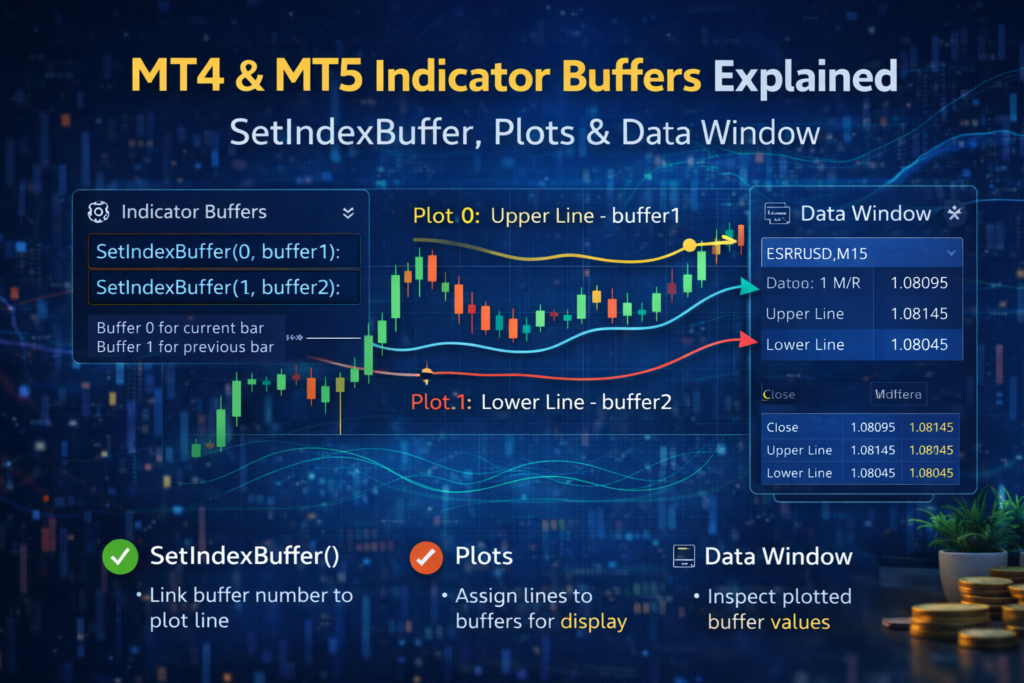
Think of a buffer as a row in a spreadsheet where each cell corresponds to a bar on the chart. Bar 0 is the newest bar, bar 1 is the previous bar, and so on (in “series” mode). When you call SetIndexBuffer() in MT4 (or link buffers to plots in MT5), you’re telling MetaTrader: “Use this array as the data source for Plot #N.” From there, the platform handles drawing, scaling, and the Data Window. In practice, MetaTrader reads your buffer on each redraw and caches values for the Data Window, so consistency matters. The buffer is the contract between your math and what traders see on-screen. Buffers are not optional—they’re the plotting pipeline. If you want a line to be smooth, the buffer must be smooth. If you want state logic to be stable, the buffer values feeding that state must be stable too.
Why Buffer Direction and Indexing Break Indicators
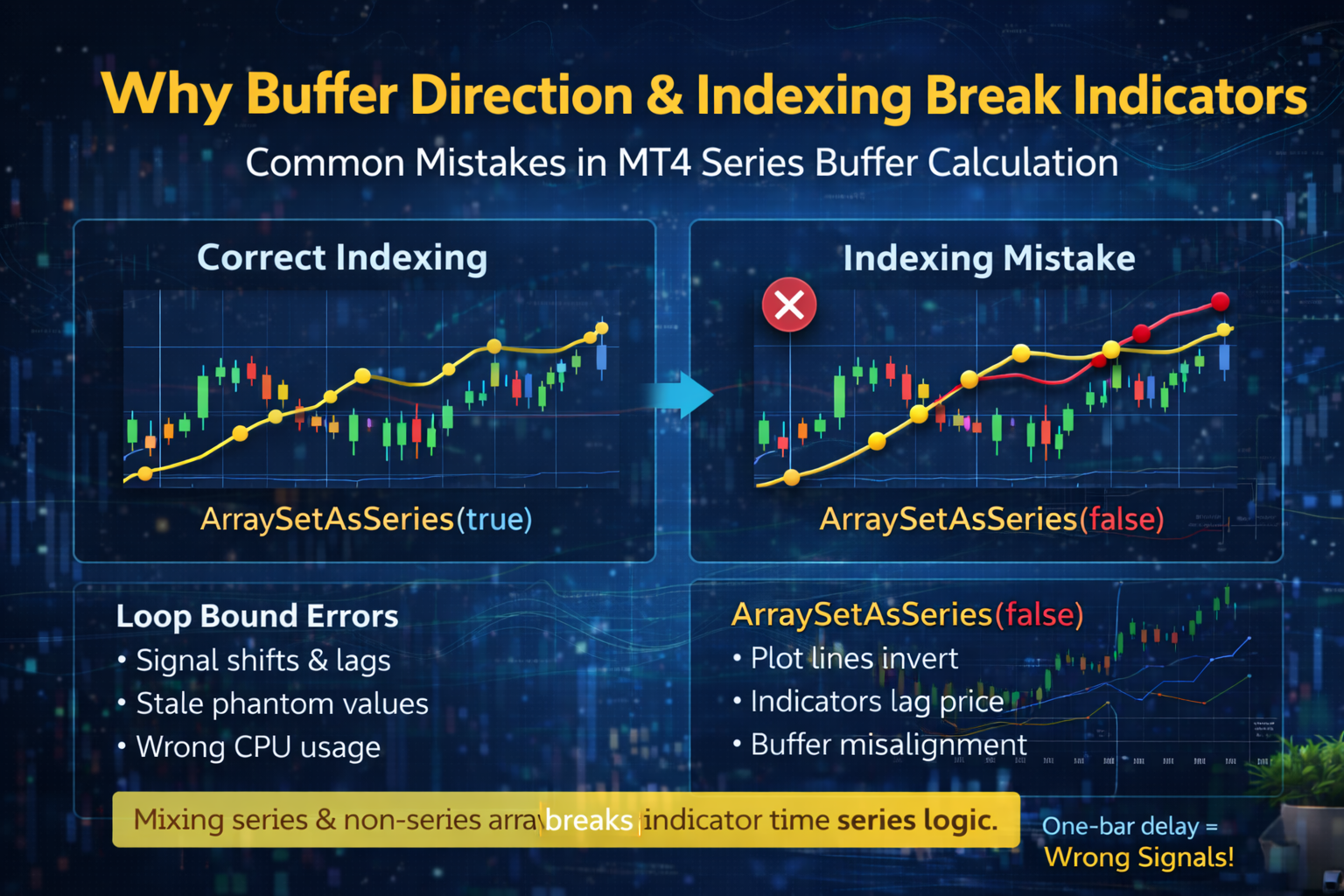
Most buffer chaos comes from one classic mistake: mixing series and non-series arrays. In MT4, SetIndexBuffer() often expects the buffer to behave like a time series, where index 0 is the current bar. If you calculate values left-to-right without setting ArraySetAsSeries(buffer,true) (or you apply it inconsistently across arrays), your plotted line can shift, invert, or “lag” behind price. The result looks like the indicator only becomes correct after a manual refresh—because the recalculation order is fighting your indexing.
Another common issue is using the wrong loop bounds. If you recalc every bar on every tick, you burn CPU and risk overwriting recent values incorrectly. If you recalc too little (or start from the wrong prev_calculated value), your buffer will keep stale data and your signal engine will read the wrong state. Even worse, stale values can survive between recalculations and create “phantom” conditions: crosses that appear to happen, then vanish, then happen again. A one-bar delay can feel like betrayal, and a wrong-bar signal is worse.
Buffer Types: Lines, Arrows, and “Invisible” Data
Not all buffers are meant to be visible. A typical professional indicator uses “display buffers” for plots (lines, histograms, arrows) and “logic buffers” for internal state (trend=1/-1, signal flags, zones, thresholds). Visible buffers often use DRAW_LINE, DRAW_HISTOGRAM, or DRAW_ARROW. Logic buffers are usually set to DRAW_NONE (MT4) or have a plot disabled (MT5). The Data Window can still show them, which is perfect for debugging and for feeding a downstream signal engine. A neat habit is to prefix logic buffers with names like State_, Zone_, or Flag_ so you never confuse them with plotted lines.
To hide a point on a plotted buffer, you typically write EMPTY_VALUE (or a special “no draw” value). For arrows, you write EMPTY_VALUE most of the time and only drop a price value at the bar where the arrow should appear. That’s why arrow buffers look “sparse”: they’re mostly empty, with a few meaningful spikes. If you want arrows above/below candles, you don’t write “1” or “-1”; you write an actual price level (like High+offset or Low-offset) so the platform knows where to place it.
One more pro tip: buffers should be initialized cleanly. If you leave old numbers in an arrow buffer, MT4 will happily draw ghosts—arrows that belonged to yesterday’s logic. A good habit is clearing the recent range you recalculated, and being deliberate about what you set on each bar. For lines and histograms, be consistent about whether you are calculating bar 0 on every tick (intrabar) or only on bar close. The buffer must match the mode you promise in your HUD and in your signal rules.
Ultimately, buffers are the bridge between math and meaning. When you separate display buffers from logic buffers, your indicator becomes easier to debug, easier to extend, and far less likely to “randomly” change behavior after a restart. The classic craft of good engineering applies here: clear naming, clean separation, and predictable data flow.
Now here’s the part many people miss: buffer values are not just visuals. If your EA or signal engine reads buffer #3 to decide BUY/SELL, a single indexing bug can flip a trade. This is why disciplined buffer design is basically trading hygiene—like washing hands before surgery, but for your account balance.
In MT5, the concept is similar but expressed through plots and handles. You define #property indicator_plots, bind buffers to plots, and then you may read another indicator via CopyBuffer(). If you don’t know which buffer index belongs to which plot, you’ll copy the wrong stream and wonder why your “MACD” looks like a random walk. Always map: Plot name → buffer index → meaning → bar shift. Write it down in comments.
MetaTrader’s Data Window is your truth serum. If the line on the chart looks wrong, check the Data Window values for bar 0 and bar 1. If those are wrong, your buffer is wrong. If those are right but the line is wrong, your plotting style, scale, or subwindow assignment is wrong. Simple, old-school debugging still wins.
Buffers don’t lie. If your chart lies, your buffers are lying for it.
Algovedas
Furthermore, buffer naming and ordering are not just cosmetics. In MT4, the order of SetIndexBuffer(i,...) defines the buffer index. If you insert a new buffer in the middle without updating your reads, your “SignalBuffer” might suddenly become your “SmoothingBuffer.” That’s how good indicators go bad after “one small change.” In MT5, plots and buffer indexes must stay consistent with CopyBuffer() calls and any external tools.
If you build multi-timeframe indicators, buffer integrity becomes even more important. You may calculate on a higher timeframe and map the value down to the current chart bars. If you map the wrong shift, you’ll get repainting-looking behavior even when your logic is stable. A clean approach is: compute HTF value once per new HTF bar, then fill the LTF buffer range that belongs to that HTF candle. Be explicit. Be boring. Boring code makes exciting equity curves. When mapping, use time-based alignment (like matching Time[] to the higher timeframe bar time) instead of guessing shifts, and double-check with iBarShift() when needed.
Finally, keep performance in mind. Don’t loop from rates_total-1 to 0 on every tick if you can loop only the new portion. Use prev_calculated properly. Limit expensive calculations, avoid creating chart objects inside tight loops, and prefer buffers over object spam when possible.
A Practical Buffer Checklist for MT4/MT5
If your indicator is “not following” crosses or states precisely, start with buffers before blaming the strategy. Confirm each plot uses the correct buffer, confirm all arrays share the same series direction, and confirm bar 0 is updated exactly how you intend. Use EMPTY_VALUE to prevent ghost drawings, and never change buffer meaning without updating every read location. Validate the buffer with the Data Window, not with vibes. If bar 0 and bar 1 match your expectations during fast ticks, your wiring is probably correct. Even when the math is perfect, a miswired buffer can make your system look broken.
Unlike random tweaks, disciplined buffer wiring produces stable visuals, accurate Data Window values, and reliable downstream signals. Once your buffers are clean, optimization becomes straightforward, and your signals stop “moving after refresh”: you can refine smoothing, add states, and integrate signal engines confidently—because the foundation (your plotted truth) is solid.
Stay Informed With the Latest & Most Important News
Previous Post
Next Post







Advertisement